Measured wind.
For your solver.
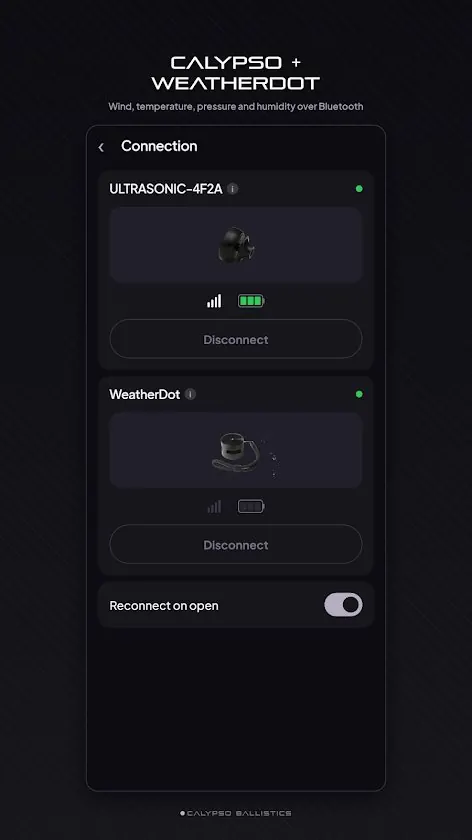
Point your Calypso anemometer downrange. The app reads the crosswind at your position, the side it's coming from, and the air you're shooting through. Those are the numbers you enter into your solver.
Built for the firing line
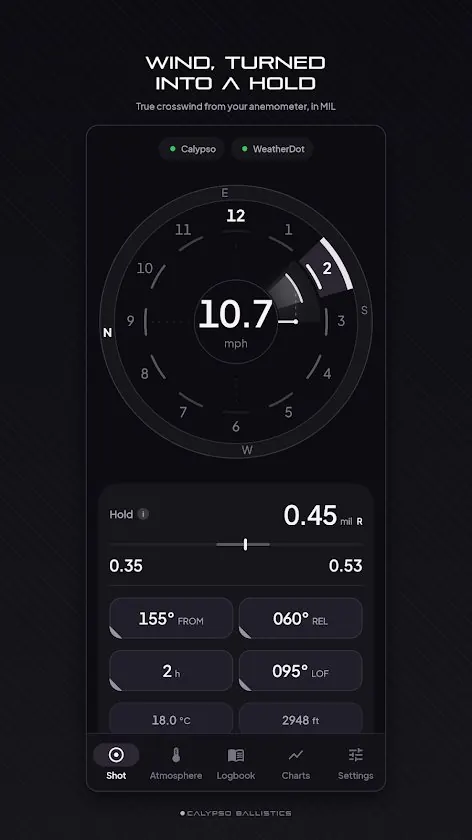
Crosswind, front and center
The shooting screen shows the crosswind in large format, with R or L, and the range of the series (minimum, maximum and gust) in your wind units.
Shooter’s clock
Twelve o’clock is the line of fire, set inside a magnetic rose turned to your bearing to target. See which hour the wind is from and what it’s worth at a glance.
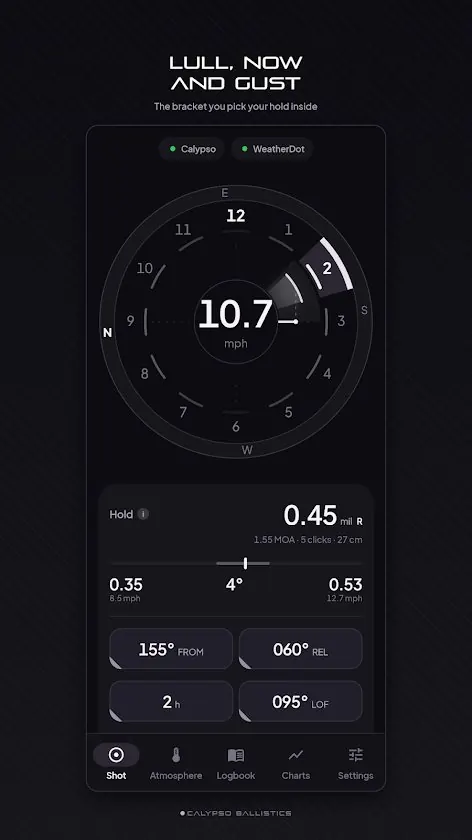
Lull and gust
The crosswind bracket over a window you choose, in wind units. Pick the value you give your solver instead of chasing the instant reading.
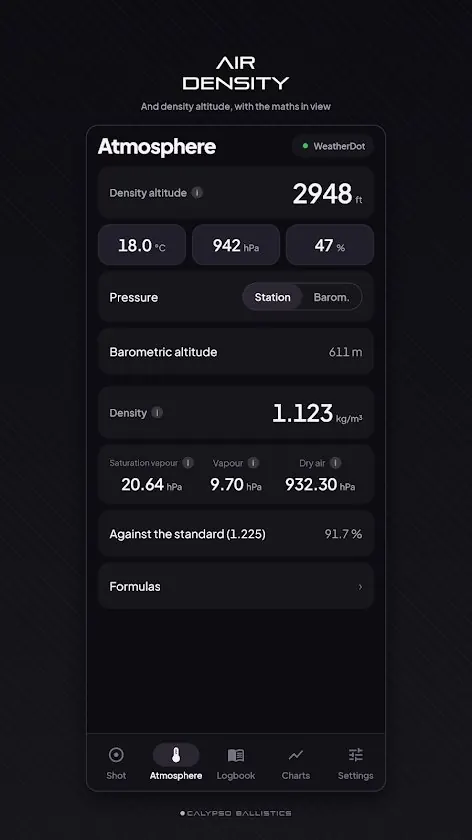
Air density and DA
With a WeatherDot paired, or values entered by hand: temperature, pressure, humidity, air density and density altitude, with QNH and elevation.
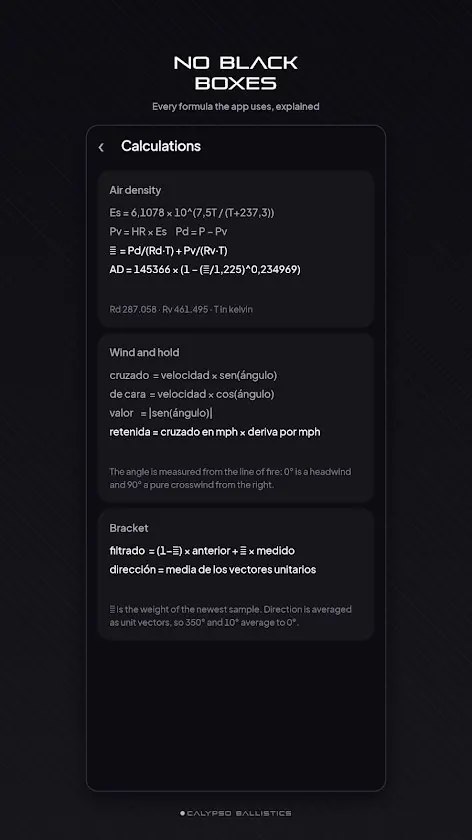
No black boxes
Every formula the app uses is explained inside it. You can check every number it gives you.
Logbook and charts
Every connection is saved as a session: wind, direction, temperature, pressure and humidity. Live charts, including a crosswind track, and CSV export.
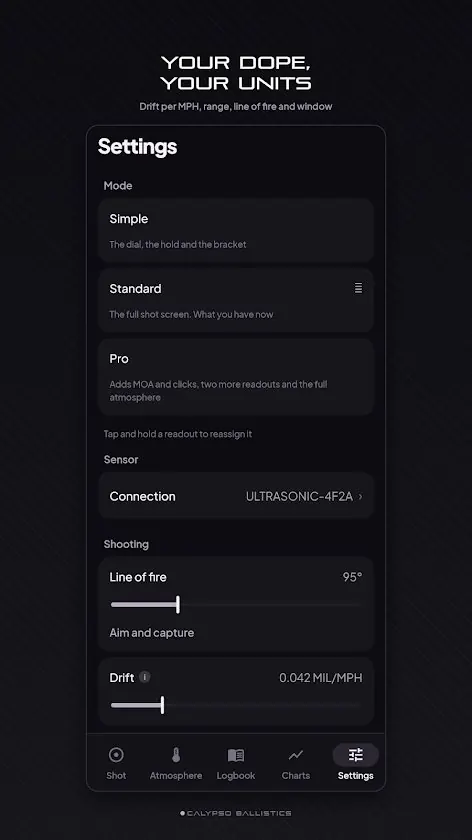
Also: cards you set with a long press: crosswind, wind speed, head/tailwind, wind value and clock direction, plus absolute, relative or line-of-sight direction. Simple, Standard and Pro modes, line of sight and sensor offset settings, a sensor placement guide, demo mode, and a screen that stays awake while you shoot.
Two apps, two jobs
Both are Calypso apps and both read the same sensors. Pick the one that fits what you’re doing today.
Calypso Ballistics
AnemoTracker
A Calypso anemometer and your solver
The app needs a Calypso Instruments Bluetooth anemometer. A WeatherDot is optional and adds measured air density. It also supports the new Ultrasonic Mini generation on firmware 10.
Calypso Ballistics does not compute trajectories or holds. It measures wind and air, and you enter those values into your ballistic solver. Your data stays on your device.